Stop running meetings with outdated agendas.
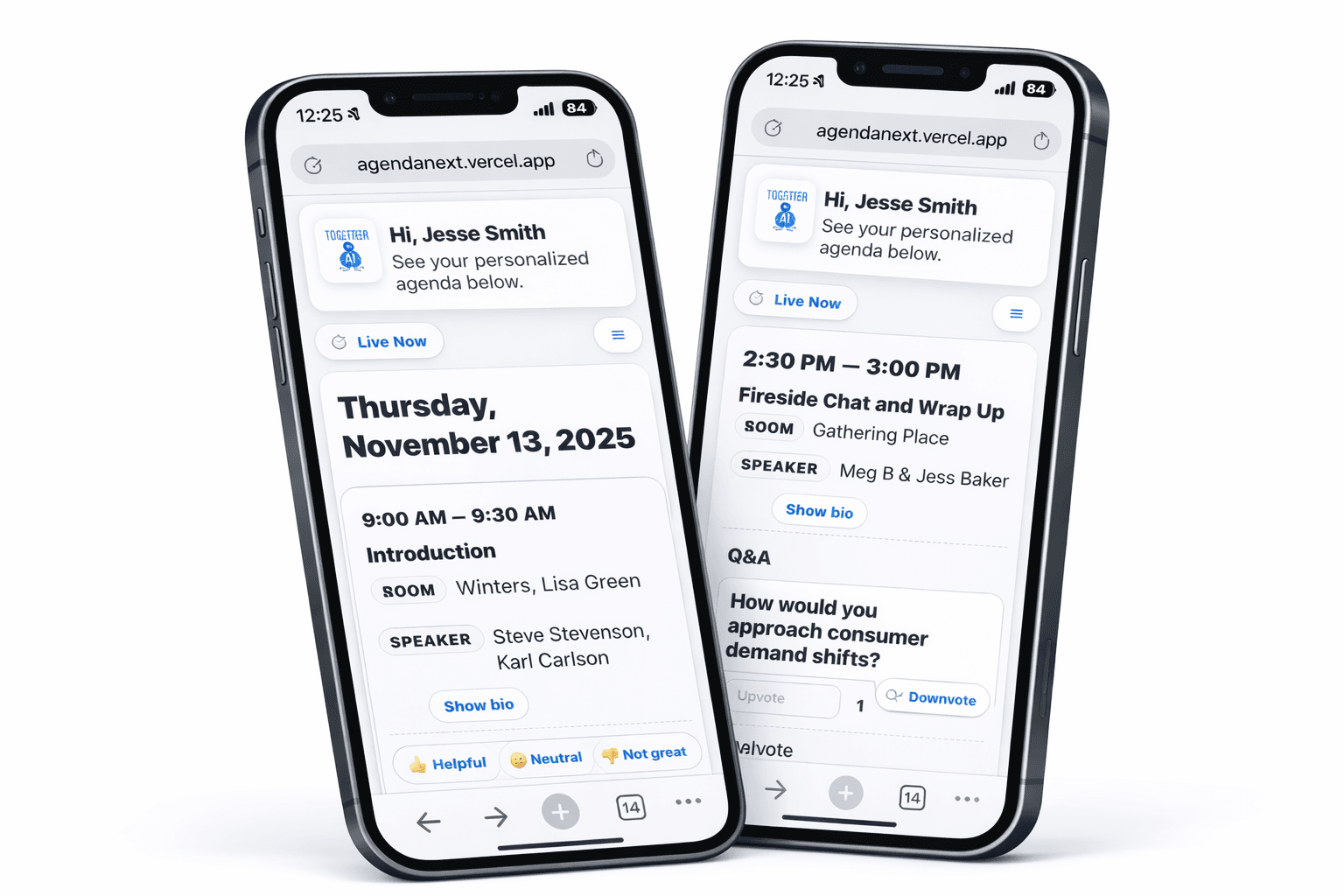
Novagenda is built for teams running multi-session meetings where information changes in real time—and printed agendas can’t keep up.
Built for offsites, internal conferences, NSMs, and all-hands.
- No downloads — just a link or QR
- Show only what’s relevant to each attendee
- Secure access (email required)
How it works
Connect your data
Using Excel or Google Sheets, we load your data.
Brand it
Header, logo, and colors — tailored for your event.
Share a link/QR
Attendees see their personal agenda instantly.
Features
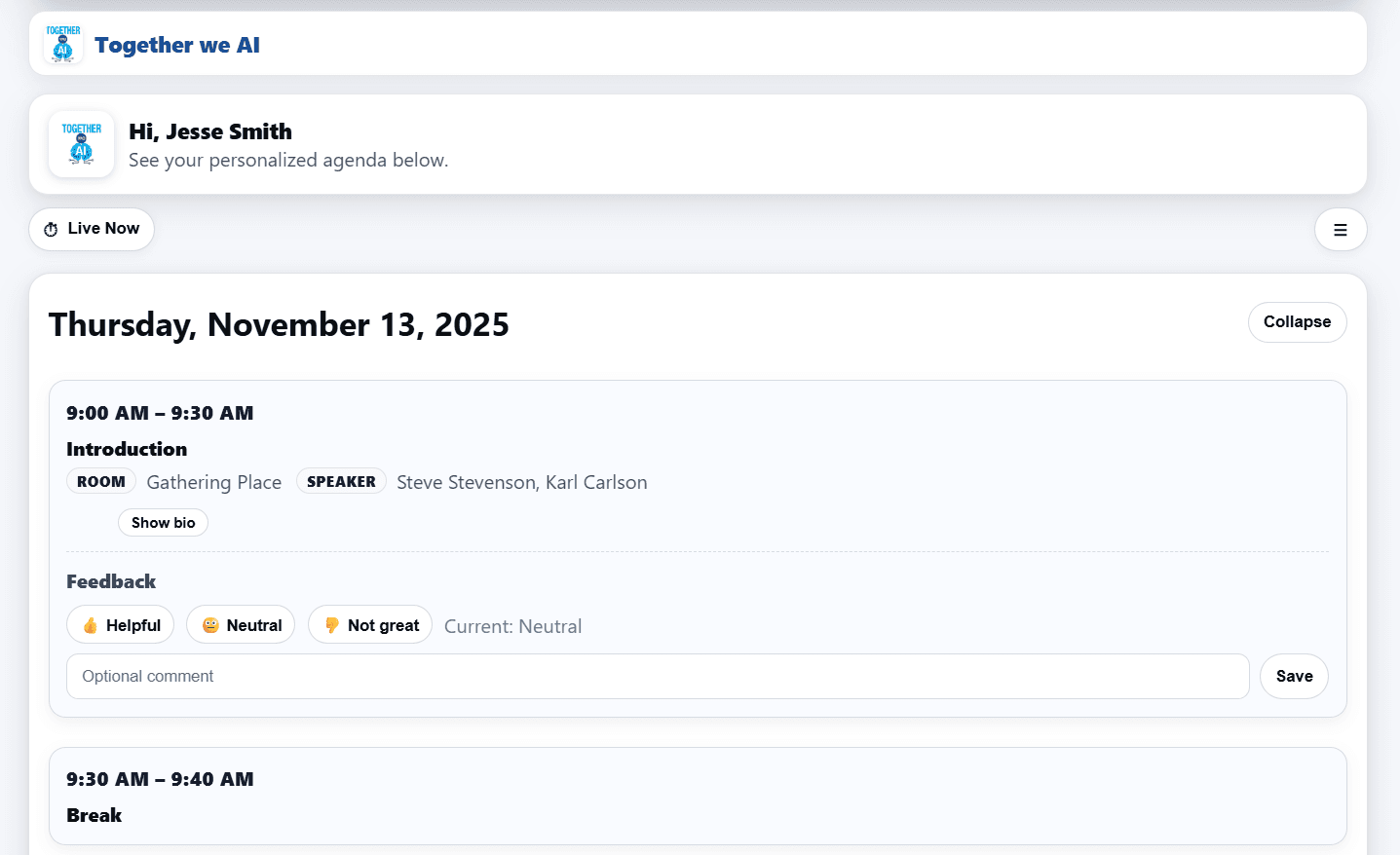
Personalized agendas
Show only the sessions that matter to each person.
Live announcements
Push updates and reminders instantly.
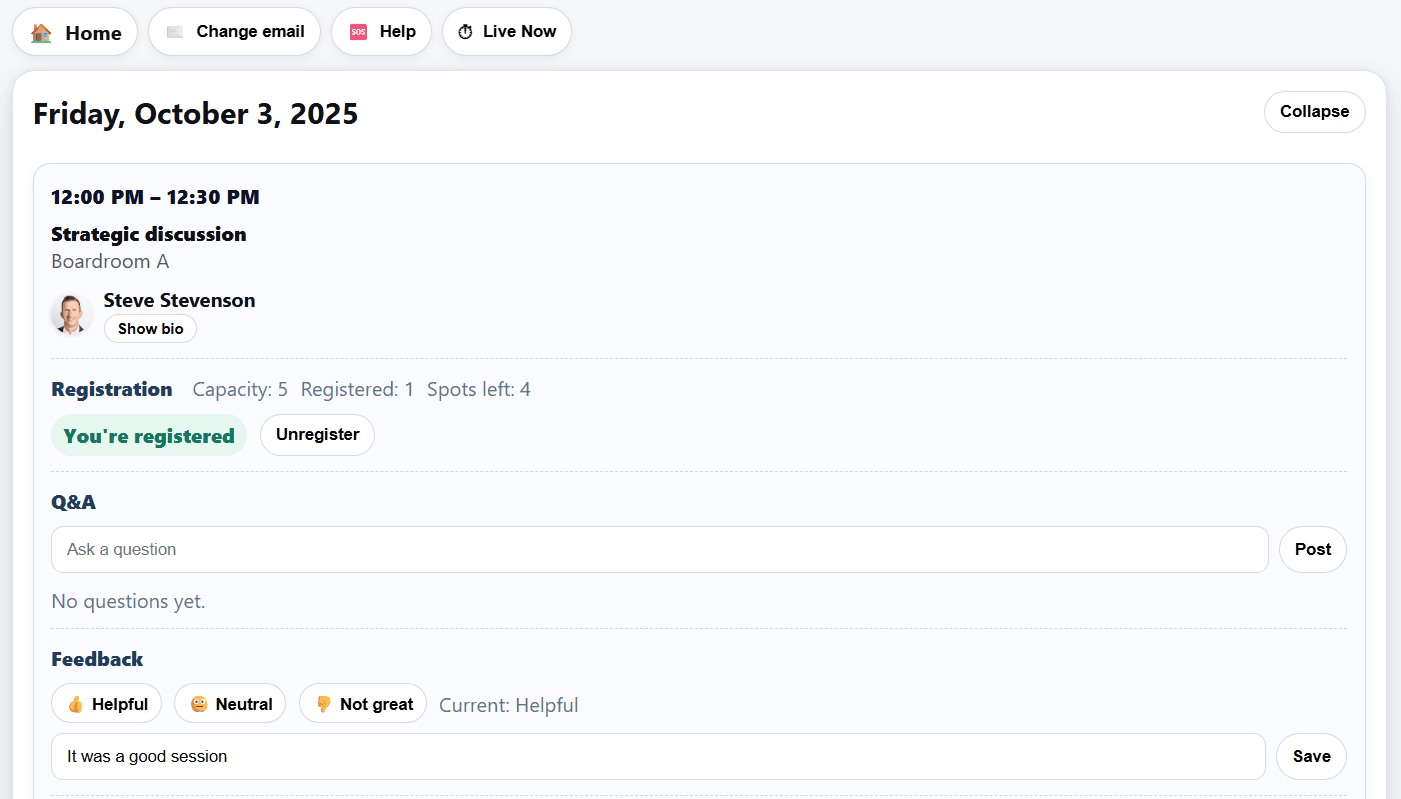
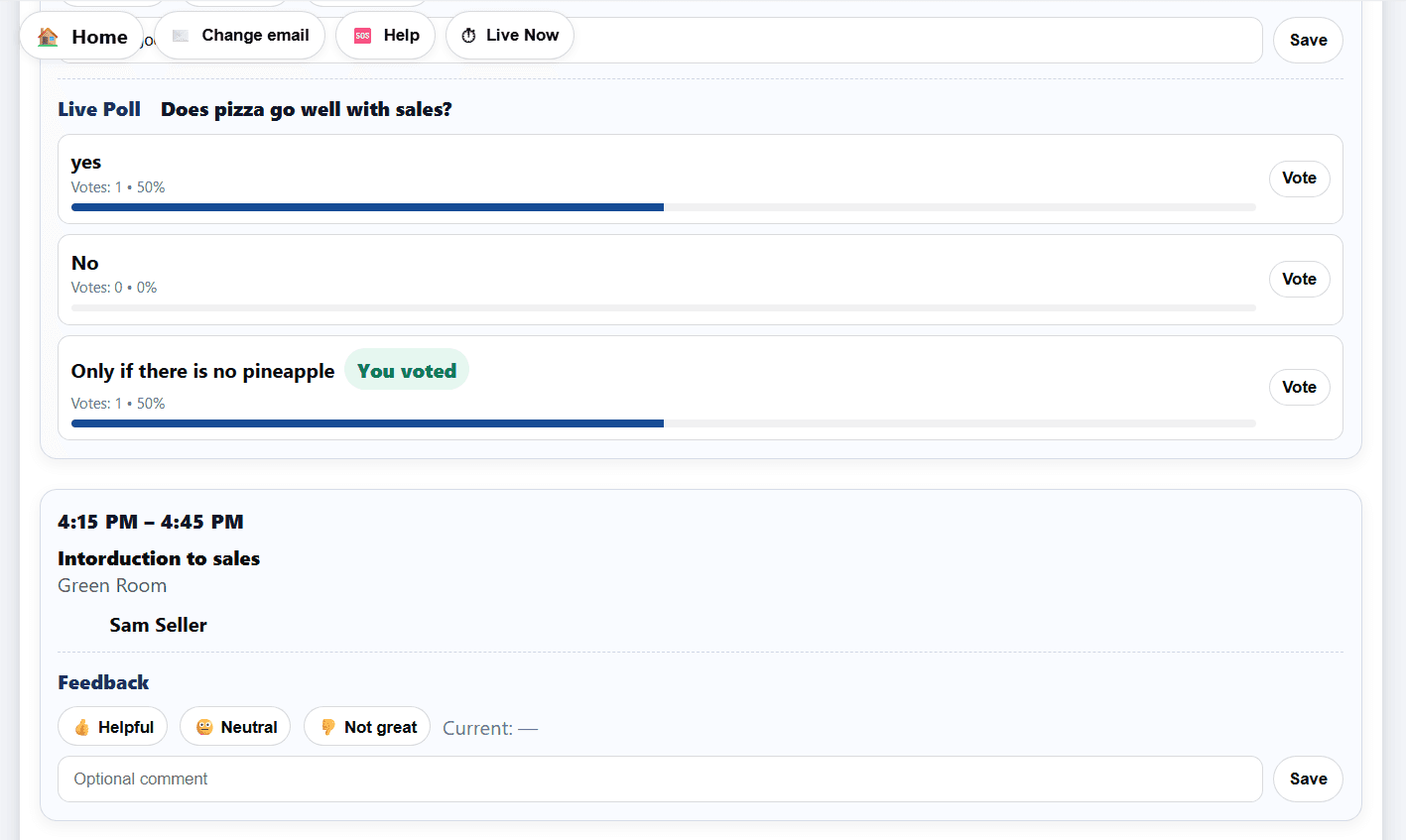
Q&A and polls
Collect questions and votes in real time.
Secure
Lock down private events.
On-brand
Use your company or event themes, logo, and colors in minutes.
See it in action
Real screens from the attendee view.
Simple pricing
- Personalized agenda
- Announcements & venue hub
- Spreadsheet import
What you get: fast setup, clean personalized agenda, live announcements, and a simple post-event summary for organizers.
- Everything in Lite
- Priority email support (day-of)
- Q&A + Polls
What you get: everything in Lite plus day-of support. Q&A + Polls so speakers see questions and results instantly; attendees react in real time; exports for your team.
- Everything in Starter
What you get: engagement built-in—speakers see questions and live poll results, moderators can curate, and organizers get CSVs with participation & sentiment.
- Everything in Pro
- Done-for-you import & theming
- Priority support SLA
What you get: white-glove setup, branded theming, priority support, and shareable engagement snapshots plus CSV exports for stakeholders.
Overage: above a tier cap, we charge $1 per attendee or bump you to the next tier — whichever is cheaper.
Annual plans
Ready to try it on your next event?
Spin up a live, branded agenda in minutes.
FAQs
No—just a link or QR. It runs in any browser.
Yes. Attendees only see what’s assigned to them.
It’s built for live updates; limited offline support.
We follow sensible defaults (contrast, keyboard focus, etc.).